When your laptop shows no signs of life—no charging light, no screen output, and no power—it’s easy to assume the worst. In this post, we’ll walk through a real repair case of a dead HP laptop, identify the common failure point, and demonstrate a simple fix that brought the machine back to life in minutes.
🔍 Problem: Dead Laptop, No Charging or Power Indicators
Symptoms:
-
No charging light (orange or white)
-
No power when pressing the power button
-
No screen output
-
Tested with and without the battery – still dead
🛠️ Step-by-Step Diagnosis
1. Initial Checks
-
Charger plugged in: No lights, no response
-
Battery removed: Still no change
-
Charging port visually inspected: No damage, looks fine
2. Opening the Laptop
-
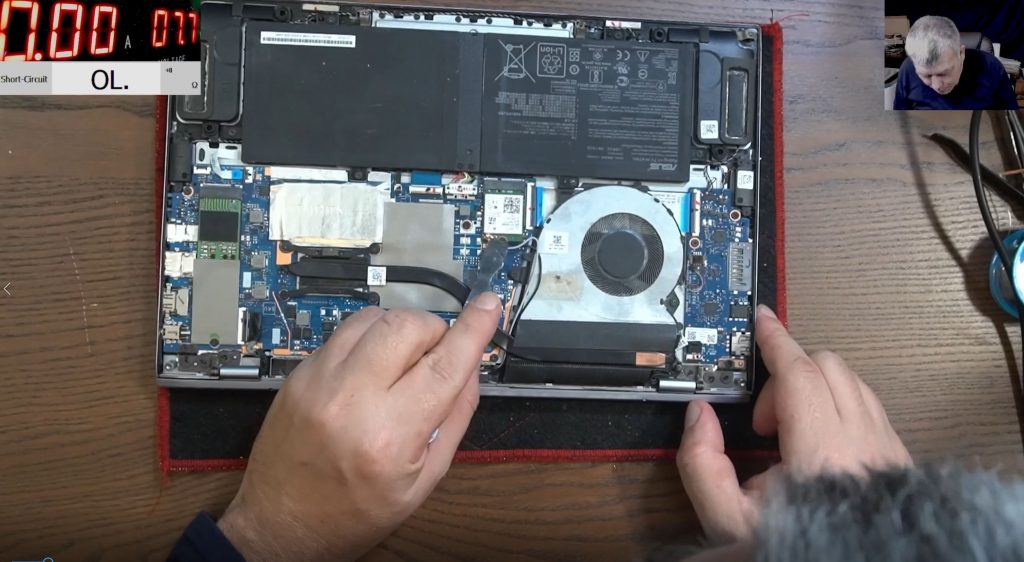
Removed back cover and optical drive
-
Exposed the motherboard for probing
3. Voltage Testing
-
Checked the 19V power rail at the charger input using a multimeter:
-
Charger is supplying 19V
-
Voltage drops to 0.8V past the first MOSFET
-
🔧 Note: You should see 19V throughout the input power rail. A drop to 0.8V is a red flag.
4. Identifying the Fault
-
No short on the power rail past the current sensing resistor
-
Two MOSFETs in series were found near the charging port
-
First MOSFET was passing 19V
-
Second MOSFET output was 0.8V
-
Gate of the second MOSFET also showed 0.8V, which means it’s not turning on
📌 Typically, an N-Channel MOSFET requires a positive voltage at the gate to switch on.
🔧 Quick Fix: Bypass the Faulty MOSFET
Instead of spending hours tracking down the cause of the missing gate voltage:
-
Removed the second MOSFET
-
Bridged the input and output using a fuse
-
This effectively bypassed the faulty switch component
-
-
Plugged in the charger
-
Laptop powered on!
⚡ Results
-
Charging light turned on
-
Fan started spinning
-
Screen powered up
-
Battery began charging
-
Windows confirmed charging status
✅ Laptop fully functional after bypassing the second MOSFET.
💡 Takeaways
-
Most common fault in dead laptops is faulty MOSFETs near the charging circuit.
-
If you see 19V at the input but very low voltage past the MOSFET, and no short is present, the MOSFET may not be opening due to missing gate voltage.
-
In critical cases, bridging the MOSFET temporarily with a fuse can restore functionality.
-
This is not a perfect repair, but it’s fast and functional—ideal for low-cost or urgent jobs.
⚠️ Disclaimer
Always diagnose thoroughly and repair properly if you’re aiming for a professional-level fix. Bypassing components can work, but it’s not always safe for long-term use. Proceed at your own risk!
📽️ Final Thoughts from Merlin
“If I had more time, I’d trace the missing gate signal and figure out the exact cause. But for a quick and effective repair, this fix works. Customers are happy, and the laptop is back to life.”