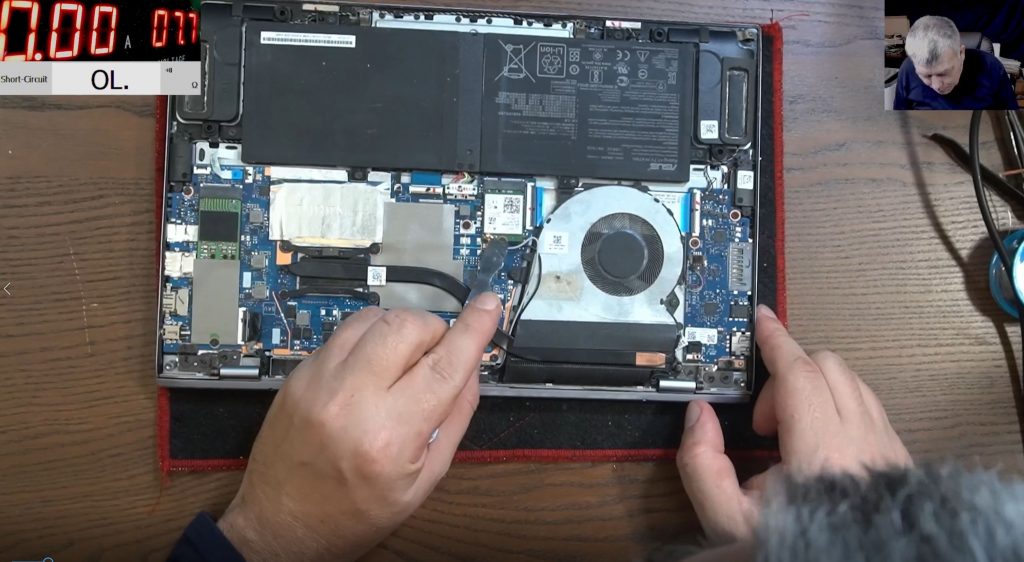
A dark screen condemns more laptops than almost any other fault, and the fix is usually quoted without a second thought: new panel, or new laptop. The HP 15-N098SA in this article was booked in for exactly that symptom — “no picture” — and instead became an honest experiment in laptop screen repair: not swapping the screen, but opening it up and fixing it.
Because the screen wasn’t actually blank. Restart the machine, catch it in the right light, and the clock was faintly visible on the dark glass. Picture and backlight are two completely different things — and that one observation changed the whole job.
Picture and backlight are two different systems
An LCD does two separate jobs. The panel forms the image — pixels switching in front of a light source — and the backlight provides the light. Kill the backlight and the image is still being drawn; you just can’t see it without help.
That’s why the first move on any “no picture” laptop is to look harder. On this HP, the faint clock proved the image path was healthy: the panel was being driven, which also meant its 3.3 V supply and video signal were fine. What was missing was light — and the backlight side of a screen needs only three things from the laptop: a 19 V feed, a brightness (“dim”) signal, and a power-on signal.
One of those three wasn’t doing its job.
Opening the screen, not the laptop
There’s a choice at this point: strip the base of the laptop and chase the 19 V rail across the motherboard, or open the screen bezel and test at the other end. The screen is quicker, so the screen came apart first.
On the screen’s own circuit board, at the backlight circuit: nothing. No 19 V at all. Yet the screen connector — where the motherboard’s cable arrives — read a healthy 19 volts (18.9 to 19 on the meter). So the motherboard was doing its job, the cable was doing its job, and the voltage was dying somewhere on the screen board itself.
Between those two points sat one small white component: a fuse. 19 V on one side, zero on the other. Burned open.
That’s the diagnosis half done — and exactly where an impatient repair goes wrong.
A fuse never blows without a reason
Fit a new fuse now and you’ll be fitting another one ten minutes later. A fuse is the messenger: something downstream pulled enough current to burn it, and that something was still on the board.
Confirming it was quick: a bench power supply on the rail after the fuse, current limit set to 1 amp — and the rail swallowed the full amp while the voltage collapsed to 2.6 V. A solid short.
Finding it was less quick. A multimeter to ground didn’t show the clean dead short you’d hope for — in-circuit it read around 800 ohms at one point — no short at all on a meter. The culprit was hiding behind a semiconductor, the same trick phone boards like to play. So the meter got put down and the fault was hunted the other way: push a controlled current through the rail and follow the heat.
At 1 amp too much got hot at once — visible smoke, and no way to tell the source from the bystanders. Limit down to 500–600 milliamps, power flicked on and off, and one component stood out: a capacitor, gently warming. A healthy capacitor has no business getting warm. Out it came — and the short went with it.
One capacitor and one fuse
The full damage, then: a failed capacitor on the screen’s backlight rail had gone short, dumped current through the fuse, and the fuse did precisely what fuses are for. The repair was removing that capacitor and fitting a new, properly calibrated fuse in place of the burned one.
One safety habit from the video is worth repeating: every time the screen connector is plugged or unplugged, the battery and the charger come out first — every time, no exceptions. Hot-plugging a display cable turns a cheap fault into an expensive one.
Reassembled and powered up: picture and backlight, together. Running the brightness up and down confirmed the dim signal too — the screen fading bright and dark on command. And the missing capacitor? The circuit runs happily without that one part; it’s a filter and reservoir on the supply line, and these circuits are designed with margin. The comparison in the video: a supply that needs 470 microfarads gets built with 4,700.
The verdict matters more than the fault. On the price of this job it would have been easier to quote a replacement screen and move on — the point made on camera is that it isn’t about money. “You can fix the screen, not necessarily replace the screen.” The experiment in the title got a clear yes.
So — repair, replace, or neither?
One bench experiment becomes a usable decision, because dark or damaged screens fall into three groups.
- Replace: the panel is physically broken. If you’re weighing up cracked laptop screen repair or replace, the answer is short: cracked glass, ink-blot patches and coloured lines from an impact mean the LCD matrix is destroyed, and nobody can repair a cracked panel. It’s also why laptop screen replacement cost is dominated by the price of the correct panel for your model, plus fitting.
- Repair: the screen’s electronics have failed. A dark screen with a ghost image and an intact panel — a fault like this HP’s fuse and capacitor — can sometimes be fixed on the screen’s own board for far less than a panel — the honest option when the panel itself is perfectly good.
- Neither: the screen was never the problem. This is the trap. The 19 V feed, brightness signal and power-on signal all originate on the motherboard. If they never arrive at the screen connector, the screen is innocent — a brand-new panel shows the same black nothing. On this HP the connector read a healthy 19 V, which pinned the fault inside the screen; reverse that one measurement and the whole job moves to the motherboard — a “broken screen” that’s really a board fault in disguise.
What this means if your screen has gone dark
A few checks tell you which group you’re in before any money changes hands:
- Look for a ghost image. Bright room, torch angled at the glass. A faint image means the panel works and only the backlight has failed — not a dead panel.
- Cracked is cracked. Visible damage needs no diagnosis; the panel must be replaced.
- Try an external monitor. A normal picture over HDMI proves the laptop itself is alive and narrows the fault to the screen path.
- Dark but undamaged? Don’t order a panel yet. The fault can live in the screen’s own circuit, the cable, or the motherboard — and a panel bought on a guess is the most expensive way to find out where the fault isn’t.
Everything past those checks is live multimeter work — exactly what the video shows, and not a first-timer’s job.
Dark screen? Diagnose first, then decide
That’s how screen jobs are handled here. A cracked panel is booked as a straightforward laptop screen replacement — the correct panel for your model, fitted and tested. A screen that’s gone dark without damage gets diagnosed first, at component level if that’s where the fault leads, so you never pay panel money for a laptop whose panel is fine.
You get a written quote before any work starts, and diagnosis is free when you go ahead with the repair. If a machine genuinely can’t be saved, no fix, no fee: you pay nothing for the work, only return postage. Repairs carry a 90-day warranty. It’s Windows laptops only, booking is 100% online, and mail-in covers the whole UK from the Grays, Essex workshop. Every job — diagnosis included — is done personally by Sorin, who teaches this exact kind of fault-finding to nearly half a million subscribers on the Electronics Repair School YouTube channel. The video above is one of those lessons.
See how laptop screen replacement works →
Post your laptop in from anywhere in the UK →
Laptop screen repair — common questions
Can a laptop screen actually be repaired, or does it always need replacing?
Some screen faults are genuinely repairable. The HP in this article had picture but no backlight, and the screen was fixed at component level — a shorted capacitor removed and a burned fuse replaced — with no new panel involved. A physically cracked panel can only be replaced.
My screen is black but I can see a faint image. Is the screen broken?
That’s a backlight fault, not a dead panel — the panel is still drawing the picture. The cause can sit on the screen’s own board, as it did here, or on the motherboard side that supplies the 19 V and brightness signals. Buying a panel for it is usually money wasted.
Will replacing the screen always fix a black screen?
No — only if the fault is actually inside the screen. The backlight’s power and control signals come from the motherboard, and if they never reach the screen connector a new panel behaves exactly like the old one. On this HP, a healthy 19 V at the connector proved the screen was to blame.
Cracked laptop screen — repair or replace?
Replace. Cracked glass and a damaged LCD matrix can’t be repaired by anyone; the panel is the broken part. What can be repaired is the electronics behind an undamaged panel — backlight circuits, fuses, and the board-side faults that only look like a broken screen.
What decides laptop screen replacement cost?
Mostly the panel itself — the price of the correct part for your model, size and resolution, plus fitting. That’s why diagnosis comes first: no sense paying for a panel when the real fault is a fuse-sized component, or somewhere a new panel can’t fix.