Your HP laptop is plugged in and there’s no charging light. Not a dim light, not a flashing one — nothing. Press the power button and the machine is completely dead.
Almost everyone reaches the same conclusion: the charging port is broken, or the battery has died. Usually it’s neither. “Not charging” is a symptom, not a diagnosis, and on the HP in this article the fault wasn’t in the charging circuit at all — it was somewhere most people would never think to look.
Start by ruling out the charger
Before touching the laptop, test the charger itself. Multimeter on DC volts, probes on the barrel tip and outer sleeve.
On this HP 15-N221SA the charger read 19.6 volts — healthy. That single measurement rules out the cheapest and most common cause, and it’s worth doing first because a replacement charger is the one fix you can safely try at home.
If your charger reads nothing, or wildly under its rated voltage, that’s your answer. If it reads correctly and the laptop is still dead with no light, the fault is on the board.
Is the power even reaching the board?
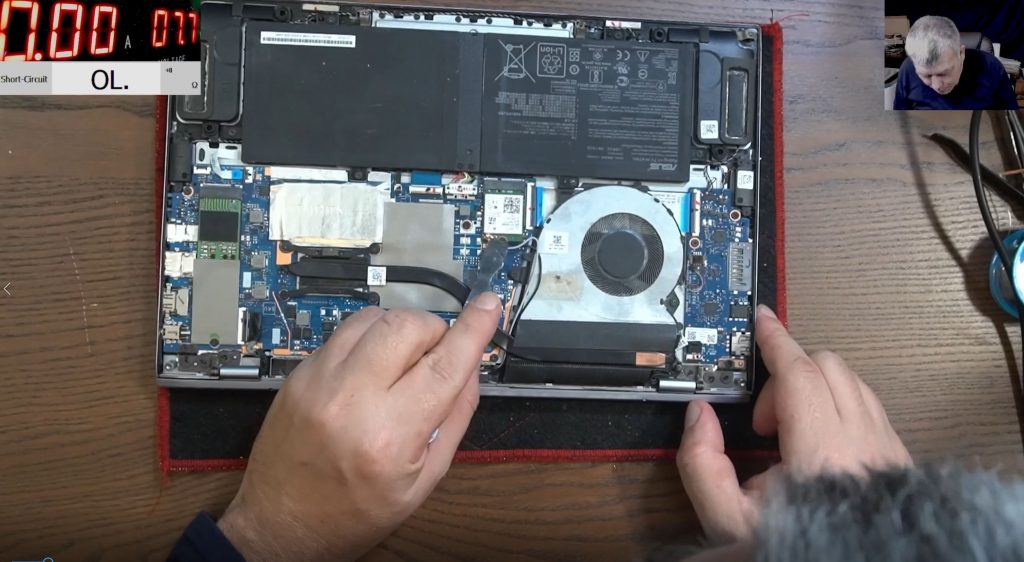
The next question is whether that 19 V actually arrives inside the machine. The charging port connector has several pins; the metal chassis is ground, so it’s straightforward to probe the port and see what’s getting through.
Here the board had 19 volts present at the charging port. So the charger works and the port works — and the laptop is still dead. That combination is where most guesswork ends and real diagnosis starts.
At this point there are only two possibilities: the voltage isn’t getting any further, or something further along is pulling it down.
Hunting the short
When 19 V arrives at a board and nothing happens, the usual culprit is a short to ground on that rail. A shorted rail drags the voltage down the instant the charger is connected, so the power supply never starts and no light ever comes on.
The test is a multimeter in diode mode: one probe on ground, one on the 19 V rail. A healthy rail shows a sensible reading. This board read 0.00 — a dead short straight to ground.
That normally means a failed component on the power stage. On this laptop it meant something stranger.
The fault was the screen cable
The short came and went. Unplug the display connector and the short disappeared. Plug it back in and the rail was shorted again.
The 19 V rail on a laptop doesn’t only feed the power supply — it also runs to the display circuit. So a fault anywhere along that path presents at the charging port as “dead, not charging”, even though the charging hardware is perfect.
Most screens have a fuse precisely to stop this, which pointed suspicion at the ribbon cable instead. That cable flexes every single time the lid opens and closes. Over years, conductors inside can chafe and touch. It’s not the most likely failure on a laptop — but it is absolutely a real one, and the readings drifted around (0.181, 0.2, 0.3, 0.4) in the way a marginal contact does rather than a cleanly failed component.
The lesson generalises well beyond this machine: a dead HP with no charging light is a power-rail problem, and the power rail goes to more places than the battery.
What this means if your HP won’t charge
The full charger-to-board diagnostic ladder for any brand is in the laptop not charging guide. What this HP adds to it is specific:
- On an HP, “no light at all” is a rail symptom, not a battery symptom. HP’s charging LED is driven from the 19 V rail — if anything shorts that rail, the light dies with it.
- The short doesn’t have to be in the charging circuit. On this machine it was in the display path — so a fault list for a dead HP has to include parts nobody associates with charging.
- Watch for symptoms that come and go with the lid. A marginal short in a flexing ribbon cable can behave differently open, closed, or mid-movement — that pattern is a clue, not a coincidence.
If it turns out to be the board
A shorted power rail is a repair, not a write-off. It’s component-level work — tracing the rail, finding what’s loading it, replacing the part — rather than swapping the whole motherboard, which for most HP models is either expensive or simply unavailable.
The process here is deliberately low-risk: diagnosis is free when you go ahead with the repair, you get a written quote before any work starts, and under no fix, no fee an unrepairable board costs you nothing but return postage. The work carries a 90-day warranty. UK-wide mail-in from the Grays, Essex workshop, because component-level repair is specialist work and there may be nobody near you doing it. Every board is repaired personally by Sorin, who teaches this diagnosis to nearly half a million subscribers on the Electronics Repair School channel.
What a component-level HP board repair involves →
Send your HP in — written quote before any work →
Related: HP laptop not turning on — the most common dead-laptop fault.
HP laptop not charging — common questions
Why is there no charging light on my HP laptop at all?
No light usually means the main 19 V rail isn’t holding — either the voltage isn’t reaching the board, or something on that rail is shorted to ground and dragging it down. It rarely means the battery has simply worn out; a tired battery still lets the charging light come on.
Why did unplugging the screen bring this HP back?
Because the 19 V rail feeds the display circuit too. With the screen cable connected, the short pulled the whole rail to ground and the machine looked dead; disconnected, the rail recovered. That’s why the diagnosis has to follow the rail wherever it goes rather than stopping at the charging parts.
Will a new battery fix an HP that won’t charge?
It wouldn’t have touched this one. The 15-N221SA’s fault sat on the 19 V rail before the battery ever enters the picture — a new battery in a machine with no charging light is the most commonly wasted purchase on this fault.
Is a shorted power rail worth repairing?
Usually yes. It’s a component-level repair rather than a board replacement, and replacement HP boards are often unavailable for older models at any price.
Can a screen or its cable really stop a laptop charging?
Yes — as this HP proved. The 19 V rail feeds the display circuit as well as the power supply, so a short in that path pulls the whole rail down and presents exactly like a charging fault.